
Learning Center
20-20-20 Eye Rule: How to Rest Your Eyes During Screen Time


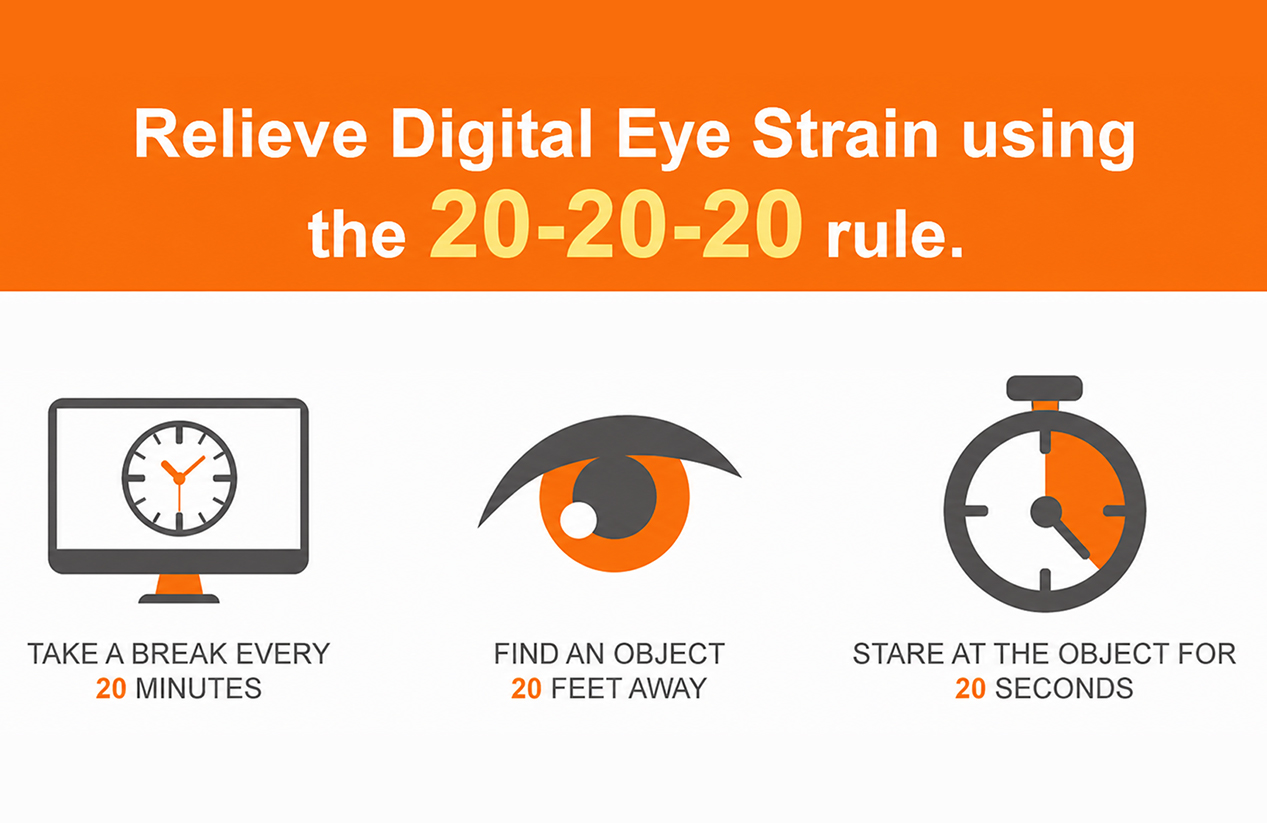
While screens do not feel heavy, your eyes can certainly feel the strain after hours of close focus. The 20-20-20 eye rule gives your eyes a simple reset: every 20 minutes, look about 20 feet away for 20 seconds. It is easy to remember, works at a desk or at school, and can fit into most screen-heavy days.
What the 20-20-20 Eye Rule Means
The 20-20-20 eye rule is a healthy screen break habit. It does not require any special tools, apps, or equipment. You simply pause your close-up focus and look across the room, out a window, or toward another distant object.
Digital eye strain may be connected with close focus, reduced blinking, glare, poor lighting, improper screen distance, or uncorrected vision needs. The 20-20-20 rule helps alleviate digital eye strain by creating regular, short breaks from near focus.
Here is a simple way to use it during the day:
Screen Time Moment | What to Do | Why It Helps |
|---|---|---|
After 20 minutes of screen use | Look about 20 feet away | Gives your eyes a break from close focus |
During the 20-second break | Blink slowly a few times | Helps refresh the eye surface |
Before returning to work | Relax your shoulders and reset posture | Reduces the habit of leaning toward the screen |
During long work blocks | Repeat the habit regularly | Breaks up hours of continuous screen focus |
This rule is simple, but consistency matters. A 20-second break may feel small, but several short breaks across a workday can make screen time feel much easier on your eyes.
Why Your Eyes Need Breaks During Screen Time
Your eyes work incredibly hard during screen use because laptops, phones, and tablets keep your focus close for long periods. That steady near focus can make your eyes feel tired, especially during long work, study, gaming, or reading sessions.
Screen use can also reduce your blink rate. Blinking helps spread tears across the eye surface. When you blink less, your eyes may feel dry, gritty, or irritated.
Breaks help because they interrupt that rigid pattern. Looking far away lets your eyes shift focus, while blinking during the break helps refresh the eye surface. A short pause can also serve as a reminder to adjust your posture, screen angle, and room lighting.
The 20-20-20 rule is not only for office workers. It can be highly beneficial during:
Online classes
Homework sessions
Gaming
Remote meetings
Long reading sessions on tablets
Design or editing work
Phone-heavy days
Streaming or web browsing
The key is not perfection. The habit works effectively because it is easy to repeat.
How to Use the 20-20-20 Eye Rule at Work, School, and Home
Start with a clear trigger. Use a timer, a calendar reminder, a smartwatch alert, or a natural task break. For example, take a 20-second eye break after finishing a page, sending an email, or ending a meeting segment.
At work, look toward a wall clock, down a hallway, out a window, or at the far corner of the room. The object does not need to be exciting; it just needs to be farther away than your screen.
At school, students can use the rule between reading, typing, and online class activities. Teachers and parents can also encourage quick distance-looking breaks during homework or tablet time.
At home, pair the rule with habits you already have. Use it when switching between apps, during video pauses, or between episodes. If you use multiple monitors, move your eyes away from all screens during your break.
A simple routine can look like this:
Set a soft reminder every 20 minutes.
Look away from the screen.
Focus on something across the room or outside.
Blink slowly several times.
Return to the screen with relaxed shoulders.
If looking away every 20 minutes is difficult during meetings or exams, use the rule as soon as there is a natural pause. The main goal is to reduce long, unbroken screen time.
What Else Helps Screen Comfort Besides Eye Breaks
The 20-20-20 rule is extremely useful, but screen comfort depends on more than just taking breaks. If your screen is too bright, your room is too dim, or your prescription is outdated, breaks alone may not solve the problem.
Start with lighting. Your screen should not be significantly brighter than the room around it. Strong light behind the screen or glare from a window can make your eyes work harder.
Next, check your distance and screen height. A desktop monitor usually feels more comfortable when it is not placed too close. The top of the screen should sit at or slightly below eye level, depending on your desk setup and posture.
Then, check your glasses. A current prescription is essential for clear screen viewing. If you already wear glasses, make sure your lenses match how you use your screen. Some people may need to order prescription glasses online with single vision lenses, computer-use lenses, or other specialized options based on their specific eye prescription and daily tasks.
Other helpful checks include:
Increase the font size instead of leaning forward.
Reduce screen glare with room lighting adjustments.
Keep your screen clean and free of smudges.
Make a conscious effort to blink fully and often.
Use artificial tears only if recommended or appropriate for you.
Take longer breaks after extended work blocks.
Review your prescription if screen text frequently looks blurry.
Small changes work best when combined. The 20-20-20 rule gives your eyes much-needed breaks, while proper lighting, ergonomic fit, and prescription accuracy support the rest of your screen setup.
Where Blue Light Glasses Fit Into a Screen Comfort Routine
Blue light glasses feature lenses specifically designed to filter part of the blue-violet light range. Blue light is visible light that comes from sunlight, digital screens, LED lights, and other everyday light sources.
Blue light glasses can be part of a screen-comfort routine for people who prefer that lens feature. Some users find them helpful because screens may feel softer or less harsh, especially during long work sessions or evening device use. EFE offers a variety of blue light glasses for people comparing screen-use lens features.
Still, blue light glasses should not be treated as the only step for screen comfort. Eye breaks, blinking, prescription accuracy, anti-reflective coating, proper lighting, and screen position all play a vital role too.
A balanced screen routine may include:
The 20-20-20 eye rule
A current and accurate eye prescription
Comfortable, well-fitting frames
Blue light glasses (if you prefer blue light filtering)
Anti-reflective coating to minimize lens reflections
Better ambient lighting and optimized screen brightness
Longer breaks after extended screen sessions
This keeps the role of blue light glasses in perspective. They can support some users' screen routines, but they work best alongside healthy overarching screen habits.

When Screen Discomfort May Need an Eye Check
While some screen discomfort improves with breaks, better lighting, increased blinking, and an ergonomic setup, some symptoms deserve professional attention.
Consider scheduling an eye check if you notice:
Blurry vision that keeps returning
Frequent headaches during screen use
Eye pain or strong light sensitivity
Double vision
Dryness that does not improve with standard care
Trouble focusing after looking away from the screen
A current prescription that no longer feels clear
The CDC also lists regular eye care and screen breaks as part of their recommended everyday vision health habits.
An eye care professional can check whether your prescription, focusing ability, eye surface comfort, or general eye health needs attention. The 20-20-20 rule is a helpful daily habit, but it is not a replacement for a comprehensive eye exam when symptoms persist.
Build an Easier Screen Routine for Your Eyes
A better screen day starts with small habits you can easily repeat. Use the 20-20-20 eye rule, blink more often, reduce glare, check your ergonomic screen setup, and keep your prescription current. If blue light glasses or computer-use lenses fit your routine, compare those options as part of your everyday eyewear setup. Give your eyes regular pauses, and make screen time much easier to handle.
FAQs
Q1. Does the 20-20-20 Eye Rule Work for Phone Use?
Yes, the 20-20-20 eye rule can definitely work for phone use. Phones are usually held very close to the face, so short distance-looking breaks can be highly helpful during long scrolling, reading, or messaging sessions. Remember to look completely away from the phone, not just at another screen.
Q2. Do I Have to Look Exactly 20 Feet Away?
No, it does not need to be an exact distance. The primary goal is to shift your focus from a close screen to something much farther away. Looking across a room, down a long hallway, or out a window usually works perfectly well.
Q3. Can I Blink During the 20-Second Break?
Yes, blinking during the 20-second break is very helpful. Screen users often blink less frequently, which can make the eyes feel dry or tired. Slow, full blinks can make your short break feel much more refreshing.
Q4. Are Blue Light Glasses Enough for Digital Eye Strain?
Blue light glasses can be one beneficial screen-comfort option, but they are not a complete routine on their own. The 20-20-20 rule, proper ambient lighting, reduced glare, adequate screen distance, frequent blinking, and an accurate current prescription all matter greatly. If discomfort continues, scheduling an eye check is the smartest next step.

