Eyeglasses Guides
Computer Glasses for Work: How to Choose Frames and Lenses for Screen Comfort


A full workday in front of a screen can lead to several comfort issues, including glare, tight frames, dry eyes, blurry text, and tired focus. Computer glasses are specifically designed for individuals who spend long hours on laptops, monitors, or tablets. The ideal pair should provide clear vision, incorporate the right lenses, offer frame comfort, and feature work-friendly enhancements tailored to your daily routine.
Quick Answer
Computer glasses are eyeglasses tailored for screen-heavy tasks. They may feature prescription or non-prescription lenses, depending on your vision needs. Many pairs include blue light filtering and anti-reflective coatings, or utilize a lens power specifically optimized for computer-distance viewing.
For work, focus on four essential elements:
A current prescription if you require vision correction
Lenses that match your daily screen usage
A frame that remains comfortable during extended wear
Lens enhancements such as anti-reflective coating or blue light filtering
A quality pair should feel comfortable during emails, virtual meetings, reading, typing, and focused computer work.

Computer Glasses vs. Reading Glasses: What Is the Difference?
Computer glasses and reading glasses may look similar, but they are designed for entirely different focal distances.
Reading glasses are typically made for close-up tasks, such as reading books, labels, menus, or smartphone screens. In contrast, computer glasses are optimized for work screens, especially when a monitor or laptop is positioned farther away than standard reading material.
This distinction is crucial because work screens are rarely set at reading distance. A desktop monitor, laptop, and tablet may each sit at a different viewing range. If the lens power is not perfectly suited to your primary setup, screen viewing will quickly become uncomfortable.
The table below provides a simple comparison.
Feature | Computer Glasses | Reading Glasses |
|---|---|---|
Main Use | Laptop, monitor, tablet, and office work | Books, labels, smartphone use, and close reading |
Viewing Range | Screen or intermediate distance | Close-up distance |
Lens Options | Prescription, non-prescription, blue light filtering, anti-reflective coating | Prescription or non-prescription reading power |
Daily Setting | Work, study, gaming, and online meetings | Reading, crafting, menus, and short close-up tasks |
Best Fit For | People who spend long, continuous periods at screens | People who primarily need assistance with close reading |
This comparison clarifies the purpose of each lens type. If you work at a screen for hours, computer glasses are significantly more suitable than standard readers.

How Computer Glasses Lenses Affect Screen Comfort
The lenses in computer glasses are more important than the aesthetic label on the frame. A comfortable work pair must closely match how you use your eyes throughout the day.
Lenses are the clear or treated components of glasses that improve vision, comfort, or light control. Some lenses correct vision, while others provide enhancements for glare reduction, screen use, or light filtering.
For computer glasses, common lens choices include:
Prescription lenses: Crafted from your glasses prescription to correct vision
Non-prescription lenses: Used when vision correction is not necessary
Single vision lenses: Designed for one specific viewing range
Anti-reflective coating: A lens treatment that reduces reflections on the lens surface
Blue light filtering: A feature designed to block a portion of the blue-violet light spectrum
An accurate, up-to-date prescription is essential if you need vision correction. Outdated or inaccurate prescriptions can severely impact workday comfort, regardless of any extra lens features.
Anti-reflective coating is highly beneficial because screens, desk lamps, windows, and overhead lights create distracting reflections. Minimizing these reflections makes the lenses appear clearer and feel exceptionally more comfortable in bright office environments.
Single vision lenses work remarkably well if you primarily focus on one screen distance. If you frequently shift between multiple viewing ranges—such as a monitor, keyboard, phone, and printed notes—your eye care professional can recommend the optimal lens design for your specific workflow.
Where Blue Light Blocking Glasses Fit Into Computer Glasses
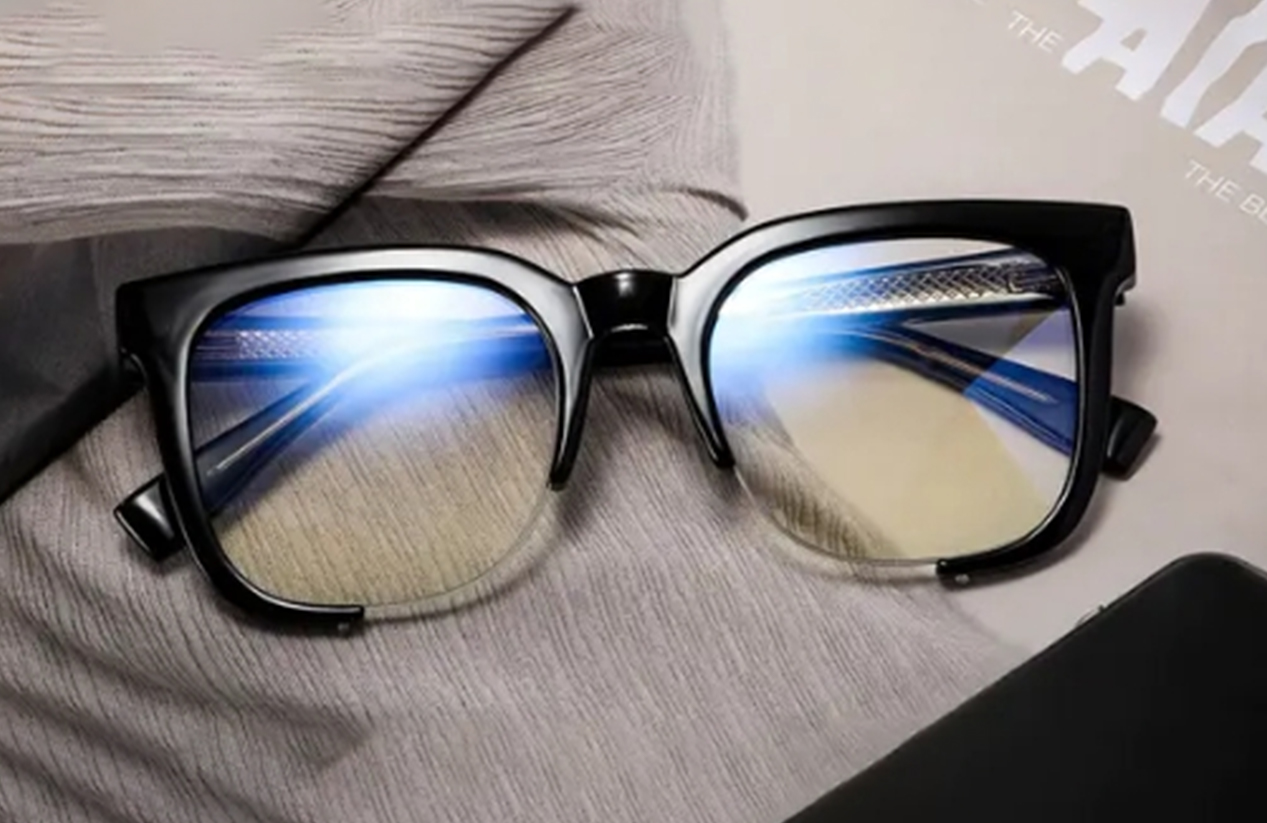
Blue light blocking glasses feature lenses designed to filter out part of the blue-violet light spectrum. Blue light is visible light emitted by sunlight, digital screens, LED lighting, and other common light sources.
Many individuals opt for blue light blocking glasses to make screens feel less harsh on the eyes. Users often prefer this softer viewing experience, especially during long laptop sessions, online classes, or evening device usage.
Blue light blocking glasses are highly recommended when:
Bright screens feel visually harsh or cause fatigue
You spend extensive consecutive hours on digital devices
You want screen-specific features added to your prescription glasses
You prefer a slightly warmer visual tint while working
You need a versatile pair for work, study, and daily digital use
These glasses are best viewed as a specialized screen-use option. They perform best when combined with other beneficial elements, such as anti-reflective coating, precise prescription lenses, ergonomic frames, and regular screen breaks.
This perspective clarifies their exact role: while blue light blocking glasses definitely support comfort for many users, an optimized overall work setup remains critical.
How to Choose Comfortable Computer Glasses Frames for Work
Frame comfort is paramount because work glasses often remain on your face for hours. A frame that feels fine during a brief try-on may become incredibly distracting during a full workday.
Start by considering weight. Lightweight frames alleviate pressure on the nose and ears, particularly during lengthy desk sessions. While heavy frames may look stylish, work glasses must be balanced enough for effortless daily wear.
The nose bridge should feel secure without pinching. If the frame slides down every time you glance at your keyboard or notes, it will quickly hinder your productivity.
Temple comfort is equally vital. The temples—the side arms that rest behind your ears—should secure the glasses without squeezing your head. This becomes especially important if you regularly wear headphones while working.
To find comfortable computer glasses frames, evaluate:
Lightweight and durable frame materials
A secure and comfortable nose fit
Temples that hold without squeezing
Sufficient lens height for natural screen viewing
A frame width that balances appropriately on your face
A design compatible with over-ear headphones or extended desk use
A style you feel confident and comfortable wearing daily
While frame color and shape are personal choices, physical comfort must never be overlooked. Your work glasses should feel entirely natural during emails, calls, reading, and all digital tasks.
What to Check Before Ordering Computer Glasses Online
Ordering computer glasses online is a seamless process when you assess your actual work requirements before checkout. The objective is to select frames and lenses that perfectly match your daily routine.
Before placing an order, review these essential factors:
Prescription needs: Determine whether you require prescription or non-prescription lenses.
Current prescription: Always use an up-to-date prescription to guarantee accurate vision correction.
PD: PD stands for pupillary distance, representing the space between the centers of your pupils. It ensures prescription lenses are positioned perfectly.
Lens type: Select single vision, progressive, or specialized computer lenses based on your specific workflow.
Blue light filtering: Consider blue light blocking glasses if you prefer enhanced screen protection.
Anti-reflective coating: Highly recommended if glare from screens or overhead lighting causes discomfort.
Frame weight: Prioritize lightweight frames for sustained all-day comfort.
Frame fit: Carefully verify frame width, nose bridge fit, and temple length dimensions.
Daily setting: Account for laptop usage, dual monitors, virtual meetings, and mobile device habits.
Order details: Double-check prescription inputs, lens upgrades, production timelines, shipping, and return policies.
Begin with the core essentials: clear vision, an ergonomic frame fit, and functional lens features that match your real-world screen use. If you experience persistent blurry vision, frequent headaches, dry eyes, or unresolving discomfort, consult an eye care professional immediately. Computer glasses significantly enhance workday comfort but do not replace professional medical advice or routine comprehensive eye exams.
Build a More Comfortable Work Screen Setup with Computer Glasses
Computer glasses serve as a practical foundation for a healthier and more productive workstation. Start by addressing your prescription needs, then meticulously evaluate lenses, frame ergonomics, blue light blocking options, and anti-reflective coatings. A thoughtfully chosen pair will seamlessly integrate into your daily routine, providing sustained comfort through emails, meetings, reading, and deep-focus screen work.
FAQs about Computer Glasses
Q1. Are Computer Glasses Good for Work?
Yes, computer glasses are highly effective for work when the lenses and frames are specifically tailored to your screen routine. They promote clearer, more comfortable vision during extended laptop or monitor sessions. The ideal pair seamlessly aligns with your prescription, working distance, and daily ergonomic preferences.
Q2. Do Computer Glasses Need Blue Light Blocking Lenses?
Not necessarily. Blue light blocking lenses are an optional enhancement for individuals seeking a softer visual experience. When choosing computer glasses, users should also heavily prioritize anti-reflective coating, precise prescription accuracy, and overall frame comfort.
Q3. Does Screen Distance Matter for Computer Glasses?
Yes, screen distance is critical because desktop monitors are typically placed farther away than books or smartphones. If your lenses are not properly optimized for your primary working distance, screen viewing will likely cause eye strain. Prescription accuracy and selecting the correct lens type are the most vital factors.
Q4. Can I Buy Computer Glasses Online?
Yes, purchasing computer glasses online is convenient and cost-effective once you know your exact lens requirements and frame preferences. For prescription pairs, ensure you have a valid, unexpired